
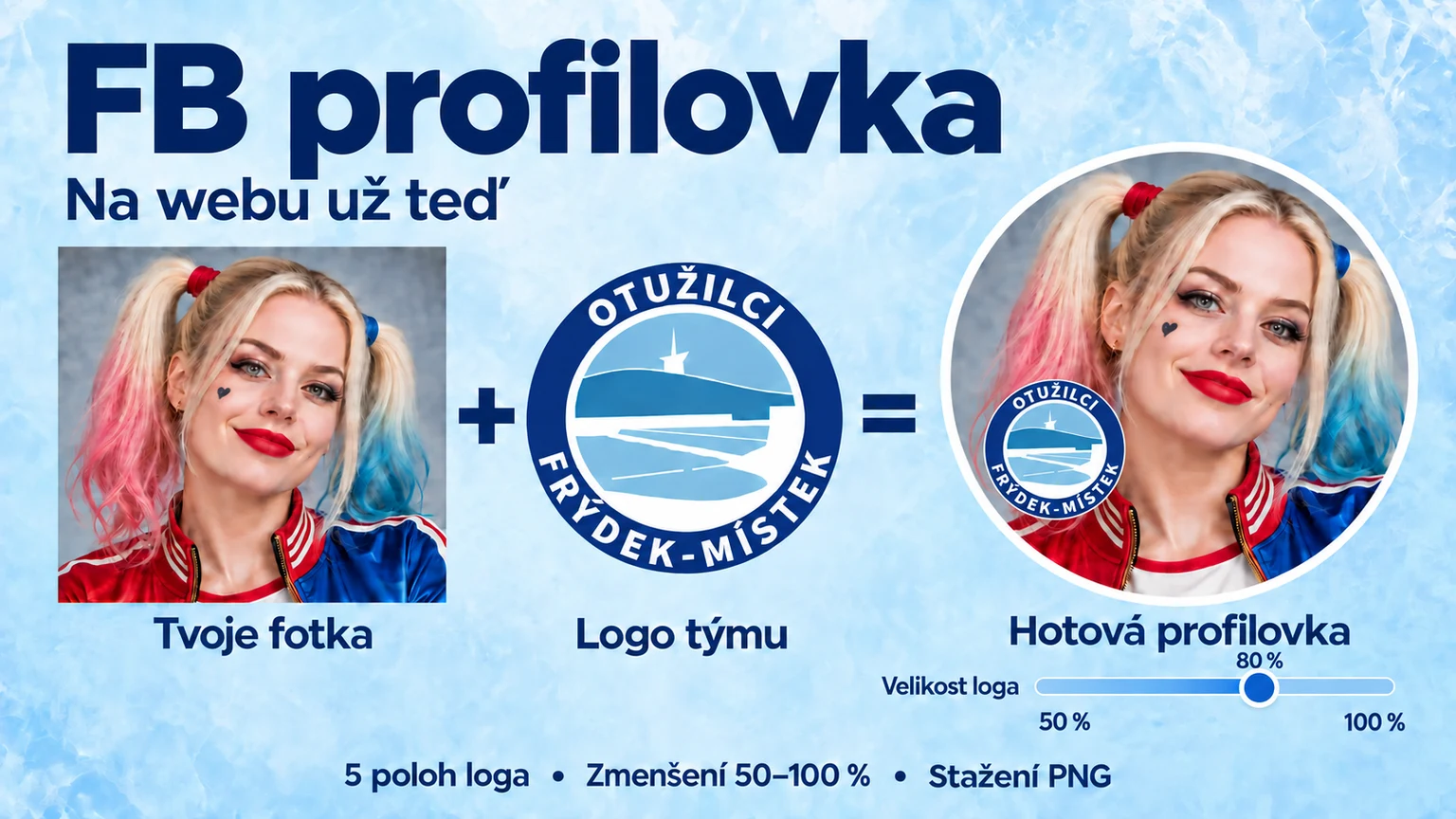
I have added a new feature to JSEM TU!: the option to put a logo on your profile picture. And that got me thinking — why not put it on the website as well, for people who do not have the app? So here it is: FB profile picture.
The feature will appear in the app once the new version has been approved on Google Play. You can use it on the website right now, with nothing to install and no need to sign in.
Your photo, your people
Want your Facebook profile picture to show which group you belong to at a glance? Choose a photo, add the club logo and download your finished profile picture. The circular preview updates as you go, so you can get everything just right before saving it.
What the editor can do
- Adjust the photo crop. Move and zoom your photo until your face is exactly where you want it.
- Place the logo in one of five positions. Tap a circle in the preview or choose a position from the controls beside it.
- Keep the logo clearly visible. Even at the maximum size of 100%, a small gap remains between the logo and the edge of the circular profile picture, leaving a strip of your photo visible around it.
- Make the logo smaller to suit your photo. The “Logo size” slider runs from 50 to 100%. It scales down the whole logo badge while keeping your chosen position and photo crop unchanged. You can return to 100% at any time.
- Leave room for Messenger. The bottom-right area is kept clear for its online status indicator.
- Download the finished image. You get a 1080 × 1080 pixel PNG. The guide circles, numbers and green Messenger indicator are not included in the saved photo.
Our logo on the website — your own logo in the app too
The Otužilci Frýdek-Místek logo is already loaded on this website, so you do not have to find or upload it.
The forthcoming app version will let you use any logo belonging to your team, club or group. You will be able to upload it from your photos or files, or choose one from your own activities. You will also be able to adjust the logo's crop inside the badge separately. The Otužilci FM logo is just one option.
Try it now
- Open FB profile picture and choose a photo in JPG, PNG or WebP format.
- Adjust the crop, choose a logo position and make the logo smaller if needed.
- Tap “Download photo with logo”, then set the downloaded image as your Facebook profile picture. Keep the whole image when uploading so the logo is not cropped off.
Create your FB profile picture →
The web editor processes your photo directly on your device; we do not send it to our server. You do not sign in to Facebook here — you upload the finished image to your profile yourself.
See you by the water,Otakar Zemek